
Entering license key
How to enter license key and activate your server
Starfish Monitor comes with a free Community edition license, which is limited, to remove any limitations, you will need a license.
Please refer to the Starfish Monitor licensing page for details on how licensing works.
Activate a license key
If you already have a license you need to assign it to your Starfish Monitor server. To activate your license key, you'll need to paste it to Settings - License tab within the Starfish Monitor Web Portal.
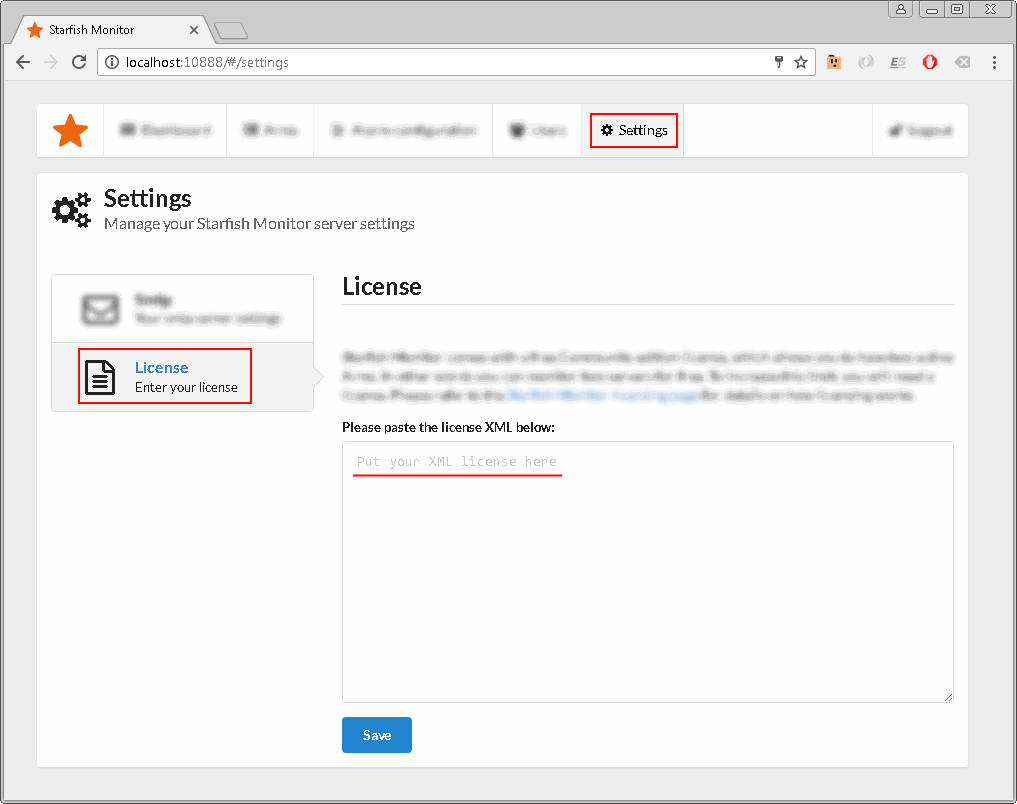
License XML looks like this:
<License>
    <LicensedTo>Example LLC</LicensedTo>
    <Id>33cca6ad-74cd-4f7d-9597-c7f510b6ab4b</Id>
    <ProductName>Starfish Monitor</ProductName>
    <MaintenanceExpires>2019-09-05</MaintenanceExpires>
    <BuyerName>Example LLC</BuyerName>
    <ArmLimit>10</ArmLimit>
    <Signature>
        I61+Pl0Nkns731RXv7lp7X4vuNJn7dhK1mRSzW6Z1VVQ
        U7I3zp4+zPvaTX18aYzex/CU6KoRwTsobB8VRJ/+4c2c
        Ep7Uci72ZjdYtUf8yEb+9/YkEer7//R8J3jLgOlnFqNO
        2ACM6n/9jpsYGLyyvhqDL93E4E7tVhluC5GeEcQ=
    </Signature>
</License>
Entire license key, everyting between <License>...</License> including the License tags, must be pasted.